SMS Terms
Last updated: September 26, 2026
Program description
PawPlanr™, a product of Ourly LLC, provides appointment scheduling software to pet-care businesses — groomers, boarding kennels, daycares and trainers.
When you book with a business that uses PawPlanr, that business can send you text messages about your own appointments: booking confirmations, reminders, cancellations and schedule changes. Messages are sent on behalf of the individual business you booked with, and its name appears in every message.
How you opt in
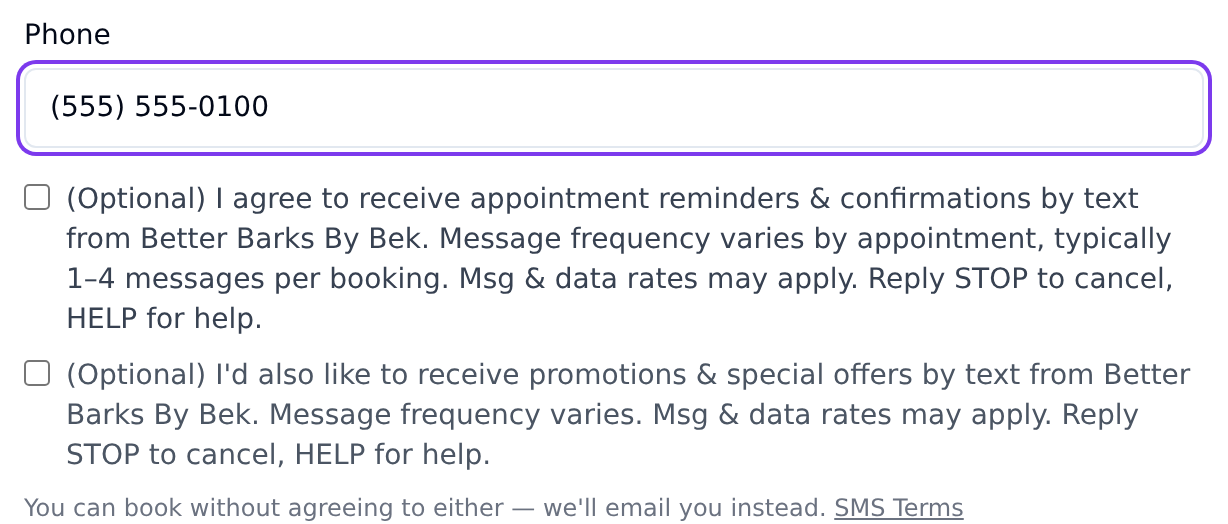
On the business's online booking page, after choosing a service and time, you reach a form for your contact details. There you will find an optional, unchecked box:
(Optional) I agree to receive appointment reminders & confirmations by text from [Business Name]. Message frequency varies by appointment, typically 1–4 messages per booking. Msg & data rates may apply. Reply STOP to cancel, HELP for help.
The box is never pre-ticked, and consent is never required to book. If you leave it unticked you will be emailed instead. These are appointment messages only: businesses are not permitted to send promotional texts through PawPlanr.
Consent is recorded per business with a timestamp, and applies only to the business you gave it to. Agreeing to messages from one business does not opt you in with another.
You can also opt in by text: replying START or YES to a text turns on appointment texts from the business that most recently texted you.
Message frequency
Message frequency varies by appointment — typically 1–4 messages per booking (a confirmation, a reminder, and any changes you or the business make).
Cost
Message and data rates may apply. PawPlanr and the business do not charge you for these messages; your mobile carrier's standard rates apply.
How to stop messages
Reply STOP to any message — or any of STOPALL, UNSUBSCRIBE, END, QUIT, CANCEL, REVOKE or OPTOUT. You will get a single confirmation, and no further texts from every business that texts you through PawPlanr: businesses on PawPlanr share one number, so a STOP reaches all of them.
To start again, reply START or UNSTOP. That lifts the stop for the number and turns texts back on from the business that most recently texted you. If your number is on file with more than one business and none has texted you, it only lifts the stop; each business will ask for your permission again the next time you book online with it.
CANCEL stops texts; it does not cancel an appointment. To cancel an appointment by text, reply 2, then YES when we name the appointment and ask you to confirm — or contact the business.
How to get help
Reply HELP or INFO to any message and you will receive the business's name and a support contact. You can also email support@pawplanr.com.
Carriers
Carriers are not liable for delayed or undelivered messages. Message delivery is best-effort and depends on your carrier and your device.
Privacy
We do not sell or share your phone number or the contents of your messages with third parties for their own marketing. Mobile information is not shared with third parties or affiliates for marketing or promotional purposes. Phone numbers are shared only with the messaging provider that delivers the messages on our behalf.
Full detail is in our Privacy Policy, alongside our Terms of Service.